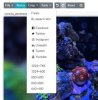
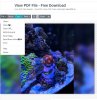
You can access the photo resizer application here: https://www.photoresizer.com/
Step 1: Drag and Drop your image you'd like to edit

Step 2: Select the resize button and change width and height to 800 x 600, then press Apply

Step 3: After resizing, select the crop button and select 800 x 600 and select apply

Step 4: Hit the apply button

Step 5: Select the file button and choose Save Image

Step 6: Name your file whatever you'd like and select to save as .jpg

Step 7: Adjust the slider to increase the kilobyte size closest or a little bit over the max of 150kb

Step 8: If using Chrome as a web browser, look on the bottom left for your downloaded file

If you need help with any of this, I can be reached by PM or by email biggiepauls33 (at) bostonreefers (dot) org
Step 1: Drag and Drop your image you'd like to edit
Step 2: Select the resize button and change width and height to 800 x 600, then press Apply
Step 3: After resizing, select the crop button and select 800 x 600 and select apply
Step 4: Hit the apply button
Step 5: Select the file button and choose Save Image
Step 6: Name your file whatever you'd like and select to save as .jpg
Step 7: Adjust the slider to increase the kilobyte size closest or a little bit over the max of 150kb
Step 8: If using Chrome as a web browser, look on the bottom left for your downloaded file
If you need help with any of this, I can be reached by PM or by email biggiepauls33 (at) bostonreefers (dot) org