

ok, I have been playing around with an HTML page that lets me access my Aquacontroller form my android phone.
Now that I have this working a bit better I decided to post it. Realize these are not fancy and I am not sure how much more I am going to do to them, they provide me all the functionality I need for now.
I should start by saying that the default HTML pages for my ACIII work fine on my android phone, it’s just that they are too big and navigating around is very cumbersome.
I should also say that this has only been tested on my Droid-X, I cannot guarantee that it works on any other mobile phone.
The first thing you need to do is get the latest AC3 code from Neptune.
Then you look for a file called "acloader.ini" in the root directory and add the following lines to the end, if you last line is not FILE13 then just change the numbers so they are sequential.
FILE14=mobile.htm
FILE15=mobile.css
Now place the 2 files (Attached to this message), in the www directory.
View attachment ACIII_Mobile.zip
Load the ac3loader program, connect to your AC3 and then select "Update Web Pages".
This will load all the original pages along with the new web page and style sheet onto your AC3.
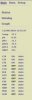
Now from your Android phone (pr any other device) you can go to <your ac3 url>/mobile.html and you will see the following image (I should note that the lower status information is not being displayed on my droid yet and I have not had a chance to debug it).
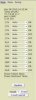
If you select "Status" you will see the next screen, you can then change the state of any AC3 device right from your phone.
Now that I have this I can check the status of my AC3 any time of the day (Provided you forward a port on your home router and have a known ip address, if not then you need someone who can help you set that up.
I may clean up the interface and fix some of the other pages (My other goal is to provide better mobile charts), but I am not sure if I will have the time for that. If I do then I will post and update for this.
I am no longer waiting for a Droid app from Neptune now, I can do everything I want right from my phone.
I hope you enjoy this as much as I do, let me know if they work for you.
Now I just need to add a WebCam so I can see my tank all day on my phone and I will never get any work done
John
Now that I have this working a bit better I decided to post it. Realize these are not fancy and I am not sure how much more I am going to do to them, they provide me all the functionality I need for now.
I should start by saying that the default HTML pages for my ACIII work fine on my android phone, it’s just that they are too big and navigating around is very cumbersome.
I should also say that this has only been tested on my Droid-X, I cannot guarantee that it works on any other mobile phone.
The first thing you need to do is get the latest AC3 code from Neptune.
Then you look for a file called "acloader.ini" in the root directory and add the following lines to the end, if you last line is not FILE13 then just change the numbers so they are sequential.
FILE14=mobile.htm
FILE15=mobile.css
Now place the 2 files (Attached to this message), in the www directory.
View attachment ACIII_Mobile.zip
Load the ac3loader program, connect to your AC3 and then select "Update Web Pages".
This will load all the original pages along with the new web page and style sheet onto your AC3.
Now from your Android phone (pr any other device) you can go to <your ac3 url>/mobile.html and you will see the following image (I should note that the lower status information is not being displayed on my droid yet and I have not had a chance to debug it).
If you select "Status" you will see the next screen, you can then change the state of any AC3 device right from your phone.
Now that I have this I can check the status of my AC3 any time of the day (Provided you forward a port on your home router and have a known ip address, if not then you need someone who can help you set that up.
I may clean up the interface and fix some of the other pages (My other goal is to provide better mobile charts), but I am not sure if I will have the time for that. If I do then I will post and update for this.
I am no longer waiting for a Droid app from Neptune now, I can do everything I want right from my phone.
I hope you enjoy this as much as I do, let me know if they work for you.
Now I just need to add a WebCam so I can see my tank all day on my phone and I will never get any work done
John


