• ******* To read about the changes to the marketplace click here

Boston Reefers Evolving Arduino Build

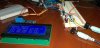
After some soldering, and a bit of a scare, I got my LCD working!

The scare came because I'm not very good at soldering and when I plugged the LCD into the Netduino it didn't power on. If I bypassed the backpack with the 5V and GND the LCD powered up.

I think there were two issues (at least):

1) I didn't have the potentiometer hooked up to increase/decrease the brightness of the text.
2) I don't think the LCD gets the signal to turn on until data is transmitting through the backpack (at least that's what it seems like).

Right now I have it displaying:

Reef Valet
05/21/2014 23:32:12 (the DateTime)
P1: 72.05F 22.19C
P2: 80,45F 34.12C

Will post some pics/video tomorrow.
 
Pretty sure you need the potetiometer hooked up.

If you buy an LCD without the backpack then yes, you need the POT hooked up. I didn't see/notice/read that the backpack has the POT built in.

Once I realized that the LCD/backpack wouldn't turn "on" until your app was running and data was being transferred things started to make sense.

Then it was just a matter of tweaking my code to display the data in the right place, and staying within the 20 character limit per line. If you try and send more than 20 characters you get all kinds of crazy text wrapping results.

--

At lunch today I picked up two 1/8" jacks that can be mounted in a project box. I'm going to use a small breadboard to build a temp sensor array (for lack of a better word). Right now I'll have it set up so I can plug in two temp sensors, and could easily add more later if I wanted. On the temp sensor itself I'll add another 5-6ft cable with a 1/8" male plug (solder and heat shrink the wires together). Then it's just a matter of plugging/unplugging the temp sensors you want to use.

Need to start getting my connectors figured out and in place to reduce the clutter of wires on the breadboard and reduce the chance of accidentally disconnection something.
 
Tonight I got the following done:

- Extended two of my temp sensor cords by 3ft; the ends are now 1/8" stereo plugs (think MP3 player cord). I took a 6ft cord with 2 male ends and cut it in half. Then connected a temp sensor to each side, put some solder on the wires, a little electric tape, and then some shrink tubing.
- Temporarily wired up two 1/8" stereo jacks to the breadboard so I can plug in the temp sensors
- Updated my LCD code a bit so the lines are cleared properly as the loop runs and data updates. Still tweaking the timing -- right now you can see the 'seconds' in the Date/Time sometimes skip a number or two.

Video of the LCD in action: http://youtu.be/izyLoLpmqqA

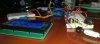
Couple pics of the temp sensor connections:

LCDandTempSensorConnections1.jpg

LCDandTempSensorConnections2.jpg
 
Started working on the float switch. Basically it works like a push-button switch. I have it set up to turn on/off the onboard LED when the float goes up and down. I'm seeing a bit of "bounce" I think they refer to it as, so I'll have to work on the code a bit and probably add some hysteresis code.
 
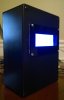
Bought a project box from Radio Shack and cut a hole in it with my dremel for the LCD screen. It was my first time using the dremel (bought 5+ years ago!) and it wasn't the greatest job. I was going to try and use a piece of rubber tubing cut down the middle to cover the edges and hold the LCD tighter. Couldn't find any tubing locally so I started looking on-line and came across this site with acrylic bezels that were exactly what I needed:

https://www.oscsys.com/store/product/20x4-LCD-Bezel-Black-with-Clear-Backplate

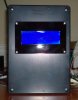
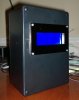
The bezel came in today and I mounted the LCD into the project box.

ProjectCaseWithLCDMounted (1).jpg

ProjectCaseWithLCDMounted (2).jpg

ProjectCaseWithLCDMounted (3).jpg

Next up I need to figure out how to mount the Netduino in the box, along with the temp sensor connectors, etc.
 
Looks AWESOME Dan!

Any thoughts on a location for our next meet? July/August there are no meetings. But theres no reason why we cant all link up.

Lets throw some dates around.
 
Gee, I have been busy lately with other things. I am just getting caught up with this thread. It does amaze me how much time some people have and how talented they are on the forum.

Looks Good Dan!
 
Pretty soon we will see a new sponsor "Mr. Xs Reef controllers
 
Is the club project dead?? ANy updates Mr.x any additions?

Not dead as far as I'm concerned.

I haven't made any changes to my setup but I've been doing more researching/looking for connectors and such.

I really want to button-up the pieces I have so far into something manageable, kinda tired of looking at all these wires all over the place. :)

Wish I had, or knew someone with a 3D printer and some modelling skills so I could print an existing case or make my own.

You have any luck with connectors and such Phinfan?

Anyone up for a meeting sometime in July for a couple hours to get everyone up to speed and thrash out some more ideas?
 
Still looking for some better way to connect stuff. Agreed someone with a 3d printer could make some some custom cases. I'd be up for a July meet, I am on vacation from the 11th to like the 20th.
Mr.X have you messed around with the Arduino Uno? I have bought a RTC and the Lcd like yours. Just been playing around for now.Writing the sketches is where I struggle.
 
Still looking for some better way to connect stuff. Agreed someone with a 3d printer could make some some custom cases. I'd be up for a July meet, I am on vacation from the 11th to like the 20th.
Mr.X have you messed around with the Arduino Uno? I have bought a RTC and the Lcd like yours. Just been playing around for now.Writing the sketches is where I struggle.

No, haven't played with the Arduino hardware yet. Between what was in the original PDF and searching on-line it shouldn't be too hard to find what you need.

If you have some code you need help debugging let me know (you've got my email address). I could set up one of the Arduino's and help you out. I'll need the code eventually anyways. :)
 
10 people responded to the Controller poll. Here's the results, sorted Highest to Lowest:

8 Votes / 80%
HW: PH Probe
SW: RTC (Real-time Clock)

7 Votes / 70%
HW: Temp Sensor
HW: Touch Screen LCD
SW: Email / SMTP (Simple Mail Transport Protocol)
SW: Web Server

6 Votes / 60%
HW: 8x Controllable Outlets (via relay)

5 Votes / 50%
HW: LCD Display (Text Only/Monochromatic)
HW: Multiple Float Switches
HW: Leak Sensor
SW: NTP (Network Time Protocol)

4 Votes / 40%
HW: 4x Controllable Outlets (via relay)
HW: TFT/LCD (Graphical/Color)

3 Votes / 30%
HW: Float Switch
SW: SNMP (Simple Network Management Protocol)

2 Votes / 20%
HW: Multiple Temp Sensors
HW: 2 channel Dimming Control for lights
HW: 5+ channel Dimming Control for lights
HW: ORP Probe

1 Votes / 10%
MISC: Other - Salinity
HW: 4 channel Dimming Control for lights

0 Votes / 0%
HW: 2x Controllable Outlets (via relay)


My suggestions, based on this list and what I've already got working:

1) Finish up getting people running with 4 controllable outlets (we all already have the parts)
2) Finish up getting people running with their temp sensor (I can show how to easily wire up a board to run multiple sensors)
3) Get the code running for 1 & 2 above
4) Get the network port configure/running to pull the Date/Time from an NTP server; ideally you could use this instead of, or with an RTC. On startup the board could poll for the date/time, compare it to the RTC, and update it
5) Get code running to support email notifications / web server
6) Wire up LCD and implement code to display basic info (date/time, temp, etc.)
7) Get the float switches wired up and working
8) PH Probe hardware / software

Doing these 8 things gets us all to the point of having a useful controller. Add-ons like the leak sensor we could add later based on time/available connections.

I'd personally rather get the core functionality going and worry about Touchscreen LCD and such later.

Thoughts?
 
Agreed we already have temp probes, rtc is very inexpensive,and we already have the 4 relays and outlets. At least then it would be useable.
 
floats for an ato can be had for about 2$ if bought in bulk (I have to check my ebay lists, had them somewhere in there), that would definitely make it into something useful.
I was thinking if there is enough interest than maybe we should look into designing an expansion board for the arduino that would have screw connectors for the probes, floats, relays, etc, if we order 10-15 they are not that expensive and would allow for a better looking "rat's next" :)
 
I am in full agreement of the list of priorities above.

Just to add to the discussion, I have completed step 1.
My issue is the coding portion at this time. I have done steps 1 and 2 separately, but I am not clear on how to combined the code to make it all work together.

I also picked up the Ethernet shield. I started working the webserver side but again, coding is kicking my butt.

Once I can get a clock working, I plan on using the two extra outlets to run my LEDs.

Steps 6-8 are further along than I "need" and would just be nice to have down the road.


Sent from my XT1060 using Tapatalk
 
for anyone that doesn't know, at the meeting, 2 relays were hooked up that each control 2 outlets. There is a tab on one side of the outlet that connects the top and bottom together. It can be broken off and each outlet wired to a separate relay rather than controlling 2 plugs with one relay.
 
Hi guys :cool:

Any thoughts on a meetup/catchup for July 26th? Or possibly mid August?

Maybe someones house, or library, heck we can even go to Jillians in Boston ;)

Throw some ideas and dates around
 
Back
Top