
I don't know if anyone is interested, but I am wrapping up a DIY controller this week - I used a lot of the open source code from reefcentral, and the arduino forums to pull this off.
It took me awhile to gather all of this together, and reefcentral only addresses dimming LEDs - which I plan to do when mine arrive.
Parts/pricing
Arduino Uno ~$30
LCD 20x4 ~$12
DS18B20 temp sensor ~Free from Maxim as a sample set
2 x Solid State Relays (5v~24v DC input to 120v~240V output) ~$20 each
Breadboard ~$5
set of 75 breadboard wires ~$5
4.7k ohm resistors ~$1.50
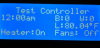
This is pretty much it for a controller for tank temperature, and a nice display.
The LCD is wired straight from the tutorial found here: http://www.ladyada.net/learn/lcd/charlcd.html
Attached here is the wiring diagram for just sensing temperature, and responding with either fans or a heater - the resistor shown on the breadboard is a 4.7k
View attachment arduinolayout.pdf
To make this submersible, I took an ethernet cord and chopped off the ends. Soldered three of the wires to the DS18B20, and covered that end in aquarium silicon. The other end goes right into the project box and is soldered to three jumper wires. Same layout shown, just extennnnnded.
Now the software! Again this is not originally mine, lifted this from the RC project (http://www.reefcentral.com/forums/showthread.php?t=1987110) however they did not address temperature So I re-wrote the 'fan' and 'fuge' parts, I am keeping the dimming feature as my rapidLED shipment is coming tomorrow
code too long, will post rest below
It took me awhile to gather all of this together, and reefcentral only addresses dimming LEDs - which I plan to do when mine arrive.
Parts/pricing
Arduino Uno ~$30
LCD 20x4 ~$12
DS18B20 temp sensor ~Free from Maxim as a sample set
2 x Solid State Relays (5v~24v DC input to 120v~240V output) ~$20 each
Breadboard ~$5
set of 75 breadboard wires ~$5
4.7k ohm resistors ~$1.50
This is pretty much it for a controller for tank temperature, and a nice display.
The LCD is wired straight from the tutorial found here: http://www.ladyada.net/learn/lcd/charlcd.html
Attached here is the wiring diagram for just sensing temperature, and responding with either fans or a heater - the resistor shown on the breadboard is a 4.7k
View attachment arduinolayout.pdf
To make this submersible, I took an ethernet cord and chopped off the ends. Soldered three of the wires to the DS18B20, and covered that end in aquarium silicon. The other end goes right into the project box and is soldered to three jumper wires. Same layout shown, just extennnnnded.
Now the software! Again this is not originally mine, lifted this from the RC project (http://www.reefcentral.com/forums/showthread.php?t=1987110) however they did not address temperature
So I re-wrote the 'fan' and 'fuge' parts, I am keeping the dimming feature as my rapidLED shipment is coming tomorrow
PHP:
/*

REEFCONTROLLER


*/

#include <OneWire.h>
#include <DallasTemperature.h>
#include "Wire.h"
#define DS1307_I2C_ADDRESS 0x68 //set rtc
#include <LiquidCrystal.h> // initialize the library with the numbers of the interface pins
#define ONE_WIRE_BUS 6 //Define the pin of the DS18B20


/*|||||||||||||||||||||||||||||||||||||||||||||||||||||||||||||||||  R E L A Y   P A R T  |||||||||||||||||||||||||||||||||||||||||||||||||||||||||||*/
/*|||||||||||||||||||||||||||||||||||||||||||||||||||||||||||||||||  S I M P L E   O N   A N D   O F F   F E A T U R E |||||||||||||||||||||||||||||||||||||||||||||||||||||||||||*/

/* NOTE USE 'BLUE' Setting until two drivers ordered*/


const int ledPin1 =  A2;          // pin number for relay 1 was digital pin 2
const int ledPin2 =  A3;          // pin number for relay 2 was digital pin 8


int ledState1 = LOW;
int ledState2 = LOW;
long previousMillis1 = 0;
long previousMillis2 = 0;
long interval1 = 30000;          // interval at which to blink (milliseconds) for RELAY1
long interval2 = 50000;		 // interval at which to blink (milliseconds) for RELAY2


/*|||||||||||||||||||||||||||||||||||||||||||||||||||||||||||||||||  L E D   D I M M I N G   P A R T  |||||||||||||||||||||||||||||||||||||||||||||||||||||||||||*/
/*|||||||||||||||||||||||||||||||||||||||||||||||||||||||||||||||||  F A D E S   I N   A N D   O U T  |||||||||||||||||||||||||||||||||||||||||||||||||||||||||||*/


int blueramptime = 60 ;    // time for blue LEDs to dim on and off in minutes
int whiteramptime = 120 ;  // time for white LEDs to dim on and off in minutes
int bluemin = 0 ;          // minimmum dimming value of blue LEDs, range of 0-255
int bluemax = 255 ;        // maximum dimming value of blue LEDs, range of 0-255
int whitemin = 0 ;         // minimum dimming value of white LEDs, range of 0-255
int whitemax = 255 ;       // maximum dimming value of white LEDs, range of 0-255
int photoperiod = 360 ;    // amount of time array is on at full power in minutes
int ontime = 10 ;          // time of day (hour, 24h clock) to begin photoperiod fade in
int blue = 10;              // blue LEDs connected to digital pin 3 (pwm)
int white = 11;            // white LEDs connected to digital pin 11 (pwm)
int fan = A0;            // Fan power relay connected to analog pin 0
int fuge = A1;            // fuge light power relay connected to analog pin 1
//int moon = 3;            // moon light connected to digital pin 3

int fan_on_temp = 81;  //Turn on fan at this temp
int fan_off_temp = 80; //turn fan off once below this temp

int fuge_on = 80;  //Turn on fan at this temp
int fuge_off = 81; //turn fan off once below this temp


//int bluepercent[11] = { 0, 1, 2, 5, 8 ,12, 18, 27, 44, 80, 255 };   // this line is needed if you are using meanwell ELN60-48D
//int whitepercent[11] = { 0, 1, 2, 5, 8 ,12, 18, 27, 44, 80, 255 };   // these are the values in 10% increments

int bluepercent[11] = { 0, 26, 52, 78, 103, 128, 154, 180, 205, 230, 255 };   // this line is needed if you are using meanwell ELN60-48P
int whitepercent[11] = { 0, 26, 52, 78, 103, 128, 154, 180, 205, 230, 255 };   // these are the values in 10% increments

//int pwm_one = 9;        // extra pwm pin for future use

LiquidCrystal lcd(7, 8, 9, 10, 11, 12); //My diy circuit layout use this if you copy my board
//LiquidCrystal lcd(11, 12, 13, 14, 15, 16); //Teensy++ 2.0 alternate to Arduino boards
//LiquidCrystal lcd(12, 13, 4, 5, 6, 7);   // typically 8, 9, 4, 5, 6, 7
                                         // have to change to free up more pwm pins
//  Set up the custom fish icon


// Setup a oneWire instance to communicate with any OneWire devices (not just Maxim/Dallas temperature ICs)
OneWire oneWire(ONE_WIRE_BUS);

// Pass our oneWire reference to Dallas Temperature.
DallasTemperature sensors(&oneWire);

/*|||||||||||||||||||||||||||||||||||||||||||||||||||||||||||||||||  R T C   C L O C K   D S 1 3 0 7  |||||||||||||||||||||||||||||||||||||||||||||||||||||||||||*/


byte decToBcd(byte val)    // Convert normal decimal numbers to binary coded decimal
{
  return ( (val/10*16) + (val%10) );
}


byte bcdToDec(byte val)    // Convert binary coded decimal to normal decimal numbers
{
  return ( (val/16*10) + (val%16) );
}

// 1) Sets the date and time on the ds1307
// 2) Starts the clock
// 3) Sets hour mode to 24 hour clock
// Assumes you're passing in valid numbers
void setDateDs1307(byte second, // 0-59
byte minute, // 0-59
byte hour, // 1-23
byte dayOfWeek, // 1-7
byte dayOfMonth, // 1-28/29/30/31
byte month, // 1-12
byte year) // 0-99
{
  Wire.beginTransmission(DS1307_I2C_ADDRESS);
  Wire.send(0);
  Wire.send(decToBcd(second)); // 0 to bit 7 starts the clock
  Wire.send(decToBcd(minute));
  Wire.send(decToBcd(hour));   // If you want 12 hour am/pm you need to set
  // bit 6 (also need to change readDateDs1307)
  Wire.send(decToBcd(dayOfWeek));
  Wire.send(decToBcd(dayOfMonth));
  Wire.send(decToBcd(month));
  Wire.send(decToBcd(year));
  Wire.endTransmission();
}

// Gets the date and time from the ds1307
void getDateDs1307(byte *second,
byte *minute,
byte *hour,
byte *dayOfWeek,
byte *dayOfMonth,
byte *month,
byte *year)
{
  // Reset the register pointer
  Wire.beginTransmission(DS1307_I2C_ADDRESS);
  Wire.send(0);
  Wire.endTransmission();

  Wire.requestFrom(DS1307_I2C_ADDRESS, 7);

  // A few of these need masks because certain bits are control bits
  *second = bcdToDec(Wire.receive() & 0x7f);
  *minute = bcdToDec(Wire.receive());
  *hour = bcdToDec(Wire.receive() & 0x3f); // Need to change this if 12 hour am/pm
  *dayOfWeek = bcdToDec(Wire.receive());
  *dayOfMonth = bcdToDec(Wire.receive());
  *month = bcdToDec(Wire.receive());
  *year = bcdToDec(Wire.receive());
}


/*|||||||||||||||||||||||||||||||||||||||||||||||||||||||||||||||||  D E F I N E  :  O N E S E C O N D |||||||||||||||||||||||||||||||||||||||||||||||||||||||||||*/


void onesecond() //function that runs once per second while program is running
{
  byte second, minute, hour, dayOfWeek, dayOfMonth, month, year;
  getDateDs1307(&second, &minute, &hour, &dayOfWeek, &dayOfMonth, &month, &year);
  lcd.setCursor(0, 1);
  if(hour>0)
  {
    if(hour<=12)
    {
      lcd.print(hour, DEC);
    }
    else
    {
      lcd.print(hour-12, DEC);
    }
  }
  else
  {
    lcd.print("12");
  }
  lcd.print(":");
  if (minute < 10) {
    lcd.print("0");
  }
  lcd.print(minute, DEC);
  //lcd.print(":");
  //if (second < 10) {
  //  lcd.print("0");
  //}
  //lcd.print(second, DEC);
  if(hour<12)
  {
    lcd.print("am");
  }
  else
  {
    lcd.print("pm");
  }
  //lcd.print(" ");
  delay(1000);
}


/*|||||||||||||||||||||||||||||||||||||||||||||||||||||||||||||||||  D E F I N E  :  F A N S   O N |||||||||||||||||||||||||||||||||||||||||||||||||||||||||||*/
void FansOn()
{
  digitalWrite(fan, HIGH);
  lcd.setCursor(17, 3);
  lcd.print("On ");
  //analogWrite(fan, 255);

}
/*|||||||||||||||||||||||||||||||||||||||||||||||||||||||||||||||||  D E F I N E  :  F A N S   O F F |||||||||||||||||||||||||||||||||||||||||||||||||||||||||||*/
void FansOff()
{
  digitalWrite(fan, LOW);
  lcd.setCursor(17, 3);
  lcd.print("Off");
    //analogWrite(fan, 0);

}
/*|||||||||||||||||||||||||||||||||||||||||||||||||||||||||||||||||  D E F I N E  :  F U G E  L I G H T  O N |||||||||||||||||||||||||||||||||||||||||||||||||||||||||||*/
void FugeOn()
{
  digitalWrite(fuge, HIGH);
  lcd.setCursor(7, 3);
  lcd.print("On ");


}
/*|||||||||||||||||||||||||||||||||||||||||||||||||||||||||||||||||  D E F I N E  :  F U G E  L I G H T   O F F |||||||||||||||||||||||||||||||||||||||||||||||||||||||||||*/
void FugeOff()
{
  digitalWrite(fuge, LOW);
  lcd.setCursor(7, 3);
  lcd.print("Off");


}
/*|||||||||||||||||||||||||||||||||||||||||||||||||||||||||||||||||  D E F I N E  :  M O O N  L I G H T  O N |||||||||||||||||||||||||||||||||||||||||||||||||||||||||||
void MoonOn()
{
  digitalWrite(moon, HIGH);
  lcd.setCursor(8, 1);
  lcd.write(4);
  lcd.write(5);
code too long, will post rest below
Last edited:


 Sounds like a fun little project with potential for future expansion. Great for the do-it-yourselfer who wants a basic low cost controller. If I didn't already dump in excess of $500 for my controller and misc bits, I'd probably give this a try.


